Silent Tenants: A Walkthrough Audit of the Hardware Already Inside Your Walls
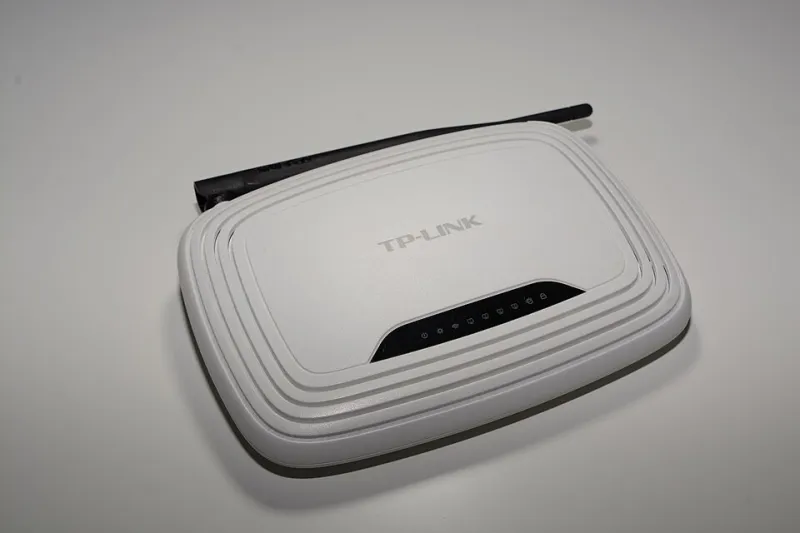
Photo: Hayden Schiff, CC BY 4.0, via Wikimedia Commons
Ask most people to picture a cyberattack and they imagine a laptop, a phishing email, a password stolen in the night. Rarely do they picture the printer in the hallway, the television mounted above the fireplace, or the doorbell camera installed three summers ago. Yet these devices — always powered, always connected, rarely updated — constitute the largest unmanaged attack surface in the American home.
The scale of the problem is easy to underestimate. The average US household now runs more than a dozen internet-connected devices, and security researchers routinely find consumer routers, cameras, and network-attached storage units conscripted into botnets within days of being plugged in. Attackers do not need to defeat your computer's defenses when a forgotten gadget will do.
Start With the Map, Not the Fix
The single most valuable step a homeowner can take is also the simplest: find out what is actually on the network. Most people cannot name every device broadcasting from their living room, and attackers count on that uncertainty.
Begin with your router's administration page, which typically lists connected clients by name and MAC address. Third-party scanning apps can supplement this, flagging devices the router's own interface obscures. Expect surprises. Old laptops kept 'just in case,' a smart plug from a rental, a streaming stick nobody remembers buying — every one of them is a tenant with network access and no lease.
Write the inventory down. For each device, note three things: what it is, whether it still receives security updates, and whether it genuinely needs internet access at all. That last question eliminates more risk than any setting change. A printer does not need the wider internet; it needs your local network, and the distinction is enforceable.
The Router: Landlord of the Whole Building
Every other device inherits the posture of the router, which makes it the natural first target of an audit.
- Change the default administrator credentials. Millions of American routers still run on factory passwords printed on a sticker, and automated attacks try exactly those combinations first.
- Apply firmware updates or enable automatic updating. Router vulnerabilities are disclosed regularly, and unpatched firmware is the difference between a theoretical and a practical risk.
- Disable universal plug and play (UPnP) unless a specific device requires it. UPnP lets applications on your network open ports to the internet without your knowledge — convenient, and equally convenient for malware.
- Check what is visible from outside. Services that scan the internet for exposed devices can tell you, in seconds, whether your router or cameras present open ports to the world. Discovering your own exposure through a scanner is far better than learning it from an intrusion.
- Segment where possible. Many modern routers support a guest network or IoT isolation mode. Putting smart devices on a segment separate from laptops and phones means a compromised lightbulb cannot reach your computer.
Room by Room: The Usual Suspects
The living room. Smart televisions are among the chattiest devices in the home, transmitting viewing telemetry to manufacturers and, in some cases, supporting automatic content recognition that infers what is on screen regardless of source. Dive into the TV's privacy settings — buried several menus deep by design — and disable personalized advertising and content recognition. Unplug the television's internet connection entirely if its smart features go unused.
The home office. Printers and all-in-one machines hold documents in memory, run embedded web servers for administration, and frequently ship with remote-access features enabled by default. Disable the public-facing administrative interface, update the firmware, and keep the device off any port-forwarding rules.
Bedrooms and nurseries. Baby monitors and audio-equipped devices deserve the strictest scrutiny. Researchers have repeatedly demonstrated that consumer monitors with weak or absent authentication can be accessed by outsiders. Use only monitors on isolated local connections where possible, change every default credential, and treat any camera with a cloud feed as a decision requiring deliberate consent, not a default.
Entryways and exteriors. Doorbell and security cameras are valuable precisely because they watch the most sensitive spaces. Confirm they receive automatic updates, verify that remote access requires strong, unique credentials, and review whether motion clips are stored on someone else's servers — and under what policy.
Listening to the Traffic
Once the inventory is complete, the next level of audit is behavioral. Odd patterns — a device uploading data at 3 a.m., a camera maintaining connections to unfamiliar destinations, a smart plug consuming bandwidth out of proportion to its function — are the fingerprints of compromise or aggressive data collection.
Homeowners need not become network engineers. Many consumer routers now include per-device traffic statistics, and even a glance at which devices move the most data can be revealing. Free DNS-level filtering services let households see and block the domains their devices contact, converting an invisible process into a readable log. When a smart speaker phones home to a server you have never heard of, you can simply refuse the connection.
Maintenance Is the Real Security
An audit is a snapshot; security is a habit. Set a recurring reminder to review the device list, apply pending updates, and retire hardware that no longer receives patches. Devices have lifespans as security assets even when they function perfectly as appliances. A six-year-old smart camera that its manufacturer has abandoned is not a convenience with a risk attached — it is a risk with a convenience attached.
The home network of 2025 is less a perimeter than an ecosystem, full of quiet tenants with their own agendas. Auditing it room by room does not require expertise, only attention — and attention, unlike firmware, never reaches end of life.