Trusted by Design, Weaponized in Practice: The Padlock That Lies
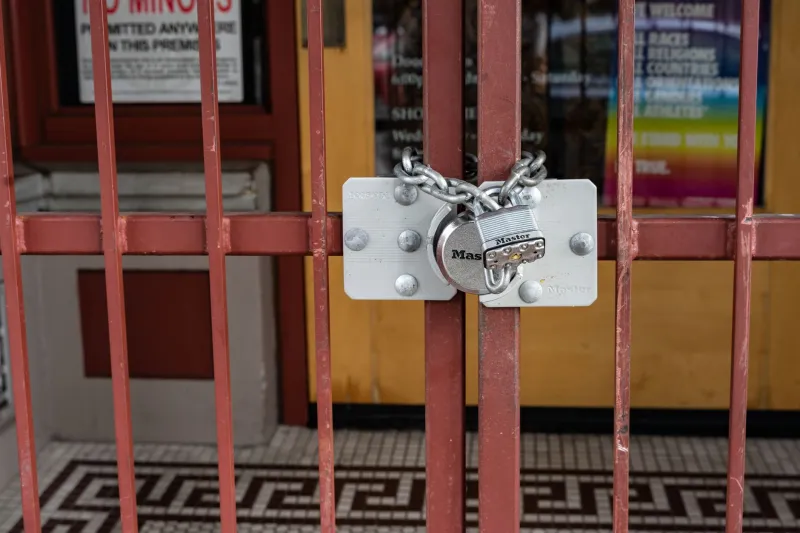
Walk into any public library in America and you'll find a poster near the computer terminals reminding patrons to look for the padlock icon before entering sensitive information online. Schools teach it. Banks reference it in their security tips. Consumer protection agencies have promoted it for the better part of two decades. The message has been consistent and persuasive: if the padlock is there, you're safe.
It is also, in a critically important way, wrong.
The padlock icon — and the HTTPS prefix that accompanies it — signals one specific thing: the data traveling between your browser and the web server is encrypted in transit. It says nothing about who owns that server, whether the site's intentions are legitimate, or whether the organization on the other side of the connection is who it claims to be. Cybercriminals have known this for years. Many ordinary users still haven't caught up.
What the Padlock Actually Certifies
To understand the gap between perception and reality, it helps to understand what an SSL/TLS certificate — the mechanism behind HTTPS — actually does.
When a website obtains a certificate, it's issued by an entity known as a Certificate Authority, or CA. The certificate serves two functions: it provides the cryptographic keys necessary to encrypt traffic, and it attests, at some level, to the identity of the domain. The problem is that "some level" covers an enormous range.
The most basic category, Domain Validation (DV) certificates, requires only that the applicant demonstrate control over a domain name. No business registration. No government ID. No verification that the entity behind the domain is who they say they are. An attacker who registers a domain like "secure-paypa1-login.com" can obtain a fully valid DV certificate within minutes, entirely free of charge, through services like Let's Encrypt — which, it should be noted, was designed to democratize encryption and has done enormous good for the web. The service itself is not the problem. The problem is that the padlock it produces looks identical to the one on the real PayPal's website.
Higher-assurance certificate types do exist. Organization Validation (OV) certificates require some verification of business identity. Extended Validation (EV) certificates — once displayed with a green company name in older browsers — required the most rigorous vetting. But most modern browsers, including Chrome and Firefox, removed the visible EV indicator years ago, deciding that users weren't interpreting it correctly anyway. Today, the padlock looks the same regardless of which type of certificate sits behind it.
How Phishing Sites Earned the Padlock
The Anti-Phishing Working Group, a global coalition tracking phishing trends, has reported for several years running that the overwhelming majority of phishing sites now operate over HTTPS. In some quarters, that figure has exceeded eighty percent. The padlock, once a reasonable heuristic for caution, has been so thoroughly adopted by malicious actors that its presence is essentially meaningless as a trust signal.
The mechanics of how a phishing site earns its certificate are straightforward. An attacker registers a domain crafted to resemble a legitimate institution — a bank, a federal agency, a healthcare portal, a popular retailer. They request a DV certificate, complete the automated domain-control verification, and within minutes their fraudulent site is serving encrypted pages beneath a padlock icon. From a user's visual standpoint, the site is indistinguishable from the real thing in the one dimension they've been trained to check.
Some attackers go further, employing what are known as homograph attacks: registering domains that use Unicode characters visually identical to standard Latin letters. The Cyrillic "а" is not the same character as the Latin "a," but in many browser fonts, they appear identical. A domain constructed from such characters can pass casual visual inspection while pointing to an entirely different destination.
The Certificate Authority Problem
The CA system that underpins the web's trust infrastructure is itself not without vulnerabilities. There are hundreds of trusted CAs operating globally, and every major browser and operating system ships with a list of these authorities pre-installed. If any single CA issues a certificate improperly — whether through negligence, compromise, or outright fraud — that certificate carries the same weight as one issued by the most rigorous authority on the list.
This is not a theoretical concern. Several high-profile CA failures have occurred over the years, including the 2011 compromise of Dutch CA DigiNotar, which resulted in fraudulent certificates being issued for domains including Google.com. The incident ultimately led to DigiNotar's collapse and prompted significant reform efforts, including the development of Certificate Transparency logs — public, append-only records of every certificate issued, allowing researchers and site owners to detect unauthorized issuances.
Certificate Transparency is a genuine improvement, but it is a tool for auditors and security researchers, not a real-time protection for the average user browsing on a Tuesday afternoon.
What You Should Actually Be Looking For
If the padlock is an unreliable guide, what signals should users actually evaluate?
The full domain name, not just the presence of HTTPS. Examine the complete URL carefully before submitting any credentials or payment information. Phishing domains frequently use subdomains or slight misspellings to create plausible-looking addresses. "login.bankofamerica.com" is legitimate; "bankofamerica.login.fraudsite.com" is not, even though the brand name appears in the URL.
Unsolicited contact as a delivery mechanism. The vast majority of phishing encounters begin with an email, text message, or social media notification urging the recipient to click a link. Legitimate institutions rarely demand immediate action through unsolicited outreach. When in doubt, navigate directly to the institution's known address rather than following any embedded link.
Mismatches in design and language. Fraudulent sites frequently contain subtle errors — inconsistent fonts, slightly off-brand color schemes, grammatical irregularities, or placeholder text. These imperfections are becoming rarer as attackers grow more sophisticated, but they remain worth scrutinizing.
Browser security tools and reputation services. Modern browsers incorporate phishing and malware databases that flag known malicious sites. These protections are imperfect and lag behind newly registered domains, but they provide a meaningful additional layer of screening. Keeping browsers updated ensures access to the most current threat intelligence.
Extended Validation information where available. While browsers no longer display EV indicators prominently, users can still click the padlock icon to inspect certificate details. For high-stakes transactions, verifying that an EV certificate is present and lists the expected organization name adds a modest layer of assurance.
Rethinking the Mental Model
The padlock was a useful shorthand for a simpler era of the web, when HTTPS adoption was limited and its presence alone carried meaningful signal. The web has since matured — and so have the methods of those who exploit it.
The more accurate mental model is this: HTTPS means your communication is private from eavesdroppers on the network. It says nothing about the trustworthiness of the party you're communicating with. Conflating encryption with legitimacy is a cognitive shortcut that the phishing industry has spent years learning to exploit.
Digital literacy in the United States has improved substantially over the past decade, but this particular misconception remains stubbornly persistent. Security education at every level — from school curricula to corporate training programs — needs to retire the padlock as a primary trust signal and replace it with a more nuanced framework.
The lock on your front door keeps out strangers. It does not verify that the person who knocks is your friend. On the web, the padlock has never done anything more than lock the door — and it has never had any say in who gets to turn the key.